📖 Estimated Reading Time: 13-minute read
📅 Last Reviewed: July 2026
🔍 Technically Reviewed By: California C-10 Licensed Electrical Contractor
Quick Summary
Buying your first electric vehicle is exciting, but understanding public charging networks can feel overwhelming. From ChargePoint and Electrify America to Tesla Superchargers and EVgo, new EV owners have more charging options than ever before. This guide explains how major charging networks work, charging costs, mobile apps, connector types, and where to find EV charging stations throughout Santa Clara and Silicon Valley. Whether you’re planning your first road trip or simply commuting to work, you’ll learn how to confidently choose the right charging network for your lifestyle.
Electric vehicles have become an increasingly common sight throughout Santa Clara and Silicon Valley. Whether you’re commuting along Lawrence Expressway, visiting Levi’s Stadium, working near the Intel campus, or driving to Apple Park in nearby Cupertino, owning an EV offers new opportunities and new questions.
For many first-time EV owners, one of the biggest adjustments isn’t driving the vehicle; it’s learning how public charging works. Questions such as “Which charging network should I use?”, “Do I need an app to charge my EV?”, or “What’s the difference between ChargePoint, Electrify America, and Tesla Superchargers?” are common during the first few weeks of ownership.
Fortunately, today’s public charging infrastructure is more extensive than ever. California now has more than 200,000 public and shared EV charging ports, making it the nation’s largest EV charging market as it continues to expand charging access across communities and transportation corridors. As more residents transition to electric vehicles, understanding how different charging networks operate helps make everyday driving simpler and more convenient.
This guide explains everything new EV owners need to know, from charging network memberships and connector types to charging etiquette and finding public charging stations throughout Santa Clara.
Is There a Best EV Charging Network for New EV Owners?
There isn’t a single charging network that’s best for everyone. Many Santa Clara drivers use a combination of ChargePoint, Electrify America, Tesla Superchargers, EVgo, and Blink depending on where they travel, their vehicle type, and charging speed requirements. Understanding how each network works helps new EV owners choose the most convenient charging option for daily driving and longer trips.
In This Guide, You’ll Learn
✔ How to charge an electric vehicle for the first time
✔ How public EV charging stations work
✔ Whether you need an app to charge your vehicle
✔ The differences between ChargePoint, Electrify America, Tesla Superchargers, EVgo, and Blink
✔ EV charging plug types explained
✔ CCS vs J1772 vs NACS chargers
✔ How to find EV charging stations throughout Santa Clara
✔ Which charging network is best for beginners
✔ Tips that make public charging easier and more convenient
Why New EV Owners in Santa Clara Need to Understand Charging Networks
Santa Clara is one of California’s most active regions for electric vehicle adoption. Many residents commute daily throughout Silicon Valley, while others regularly travel between San Jose, Sunnyvale, Cupertino, Mountain View, and the Peninsula. As EV ownership continues to grow, drivers often rely on a combination of home charging and public charging depending on their daily travel patterns.
California continues to lead the nation in electric vehicle adoption, with more than 2.6 million zero-emission vehicles sold statewide and nearly one out of every four new vehicles sold being a zero-emission model. This rapid growth has been supported by significant investments in public charging infrastructure, making EV ownership more practical for homeowners, apartment residents, commuters, and travelers alike.
For Santa Clara residents, public charging stations are commonly found near shopping centers, office campuses, hotels, entertainment venues, and major transportation corridors. Whether you’re visiting California’s Great America, attending an event at Levi’s Stadium, or commuting near the Intel campus, understanding which charging networks are available can save both time and unnecessary frustration.
While many homeowners eventually install a Level 2 home charger for everyday convenience, public charging remains an important part of EV ownership. Knowing how different charging networks operate helps you travel confidently throughout Santa Clara, Silicon Valley, and beyond.
How to Charge an Electric Car for the First Time
Charging an EV for the first time is usually much simpler than many new owners expect. Although different charging networks have slightly different interfaces, the overall process is very similar.
Step 1 – Locate a Charging Station
Use your vehicle’s navigation system, the ChargePoint app, the Electrify America app, PlugShare, or another charging network map to locate a compatible charging station near your destination.
Step 2 – Confirm Connector Compatibility
Before parking, verify that the charging station supports your vehicle’s charging connector. Most modern vehicles use J1772, CCS, or NACS (Tesla) connectors.
Step 3 – Park Correctly
Position your vehicle so the charging cable can comfortably reach the charging port without placing unnecessary strain on the connector.
Step 4 – Start the Charging Session
Depending on the charging network, you may start charging by:
- Opening the charging network app
- Scanning a QR code
- Tapping an RFID membership card
- Using contactless payment (where available)
Step 5 – Monitor Charging Progress
Most charging network apps display:
- Current charging speed
- Battery percentage
- Estimated completion time
- Charging cost
- Notifications when charging is complete
Step 6 – End the Session
When you’re ready to leave, stop the charging session using the app, vehicle, or charging station controls if required, disconnect the cable, return it properly, and continue your trip.
Although each charging network has small differences, the overall process becomes familiar after only a few charging sessions.
How to Use a Public EV Charging Station
For many first-time EV owners, using a public charging station may seem unfamiliar. Fortunately, once you’ve used one or two charging networks, the process becomes straightforward. Although each network has a slightly different interface, most follow the same basic steps.
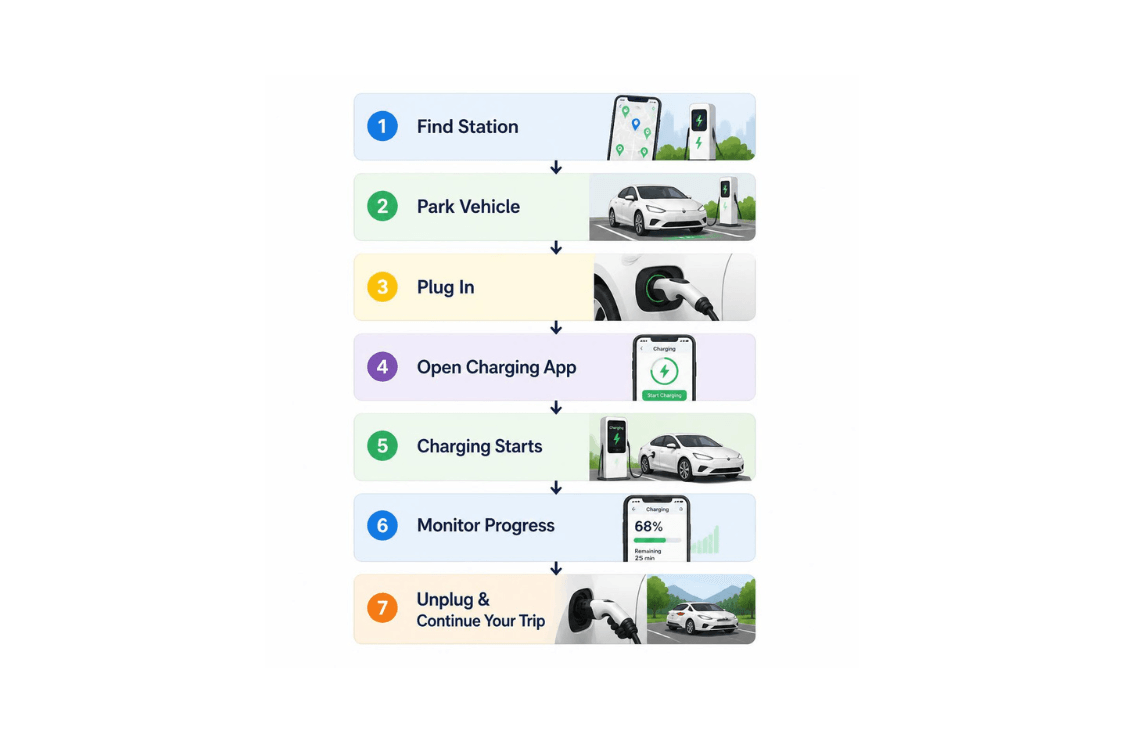
Step 1: Find a Compatible Charging Station
Before arriving, use your vehicle’s built-in navigation system or a charging network app to locate a compatible charger.
Many drivers use:
- ChargePoint App
- Electrify America App
- Tesla App
- EVgo App
- Blink App
- PlugShare
- Google Maps
- Apple Maps
These apps allow you to view:
- Nearby charging stations
- Available connectors
- Charging speeds
- Real-time station availability
- Estimated charging costs
Searching for EV charging stations near Santa Clara or EV charging stations Santa Clara CA will often return multiple charging locations across shopping centers, hotels, office campuses, and retail destinations throughout Silicon Valley.
Step 2: Verify the Charging Connector
Before plugging in, confirm that the charging station supports your vehicle’s connector.
Most charging stations clearly display which connector types are available, helping drivers avoid compatibility issues before starting a charging session.
We’ll explain the different connector types later in this guide.
Step 3: Start the Charging Session
Depending on the charging network, you may start charging by:
- Opening the network’s mobile app
- Scanning a QR code
- Tapping an RFID membership card
- Using contactless payment (where available)
Some charging networks also allow guest charging without creating a membership account.
Step 4: Monitor Your Charging Session
Most charging apps display:
- Charging speed
- Battery percentage
- Energy delivered
- Estimated completion time
- Total charging cost
Many apps also send notifications when charging is complete.
Step 5: Disconnect and Continue Your Trip
Once charging is complete:
- End the session if required.
- Disconnect the charging cable.
- Return the connector properly.
- Move your vehicle to make the charger available for the next driver.
Following these simple steps helps improve charger availability and supports good EV charging etiquette.
Do I Need an App to Charge My EV?
One of the most common questions from first-time EV owners is:
“Do I need an app to charge my EV?”
In many cases, YES – having the charging network’s mobile app provides the easiest experience.
Different charging providers operate independently, which means each network typically manages its own:
- Charging locations
- User accounts
- Payment methods
- Membership programs
- Charging history
- Notifications
Many experienced EV owners eventually keep several charging apps installed because different networks may be available depending on where they travel.
ChargePoint App
The ChargePoint app is one of the most widely used EV charging applications in North America.
Using the app, drivers can:
- Find nearby ChargePoint stations
- Check real-time charger availability
- Start and stop charging sessions
- View charging history
- Save payment methods
- Receive charging notifications
Because ChargePoint operates one of the country’s largest charging networks, many Santa Clara drivers find the app useful even if they occasionally charge on other networks.
Electrify America App
The Electrify America app provides similar functionality while also allowing drivers to manage membership benefits.
Using the app, drivers can:
- Locate Electrify America charging stations
- Start charging remotely
- Monitor charging progress
- View pricing information
- Manage an Electrify America membership
Membership plans may provide discounted charging rates for drivers who use the network frequently.
Tesla App
Tesla owners typically manage charging directly through the Tesla mobile app.
The app allows drivers to:
- Locate nearby Tesla Superchargers
- Monitor charging progress
- Manage vehicle charging settings
- Receive charging notifications
As Tesla continues opening portions of its Supercharger network to compatible non-Tesla vehicles, the app has become increasingly useful for a broader range of EV drivers.
EVgo App
The EVgo charging network offers fast charging at numerous locations throughout California.
The EVgo app helps drivers:
- Locate charging stations
- Start charging sessions
- Manage payment methods
- Track charging activity
Blink App
Drivers using Blink charging stations can also manage charging through the Blink mobile app.
Features include:
- Station locator
- Payment management
- Charging history
- Session monitoring
Should You Download Multiple Charging Apps?
Many experienced EV owners recommend installing several charging apps before taking longer trips.
Doing so provides flexibility if one network isn’t available or if another charging station offers a better location or charging speed.
Many Santa Clara residents keep:
- ChargePoint
- Electrify America
- Tesla
- EVgo
- PlugShare
installed on their phones to simplify trip planning throughout Silicon Valley and beyond.
EV Charging Plug Types Explained
Another area that often confuses new EV owners is charging connectors.
Not every charging station uses the same plug, and not every vehicle accepts every connector without an adapter.
Understanding connector types helps drivers choose compatible charging stations and avoid surprises during longer trips.
Today’s most common connector types include:
- J1772
- CCS (Combined Charging System)
- NACS (North American Charging Standard)
- CHAdeMO (less common on newer vehicles)
Each serves a different purpose depending on charging speed and vehicle compatibility.
J1772
The J1772 connector is commonly used for Level 2 AC charging.
It is supported by many electric vehicles and is frequently found at:
- Office buildings
- Hotels
- Shopping centers
- Municipal parking lots
- Workplace charging locations
CCS (Combined Charging System)
The CCS connector combines Level 2 charging capability with DC fast charging.
Many non-Tesla manufacturers have traditionally adopted CCS for fast charging.
CCS chargers are commonly found at:
- Electrify America
- EVgo
- Various public fast-charging stations
NACS (North American Charging Standard)
The NACS connector, originally developed by Tesla, is becoming the industry’s preferred charging standard.
Many manufacturers have announced plans to adopt NACS, allowing more vehicles to access the expanding Tesla charging network over time.
CHAdeMO
CHAdeMO remains available at some older DC fast charging stations but is becoming less common as newer charging standards gain wider adoption.
CCS vs J1772 vs NACS Charger
| Feature | J1772 | CCS | NACS |
| Charging Type | Level 2 AC | AC + DC Fast Charging | AC + DC Fast Charging |
| Typical Charging Speed | Moderate | Fast | Fast |
| Common Locations | Hotels, offices, shopping centers | Fast charging stations | Tesla Superchargers and expanding public networks |
| Vehicle Compatibility | Many EVs | Many non-Tesla EVs | Tesla and increasing number of other manufacturers |
| Best For | Daily charging | Road trips | Home and public charging |
As charging standards continue evolving, many new vehicles are expected to support NACS, improving compatibility across multiple charging networks while making public charging even more convenient for EV owners.
Helpful Tip for First-Time EV Owners
Rather than memorizing every connector type, use your vehicle’s navigation system or charging app to filter compatible stations automatically. Most modern EVs and charging apps simplify this process, helping you locate chargers that work with your vehicle without needing to manually compare connector types.
⭐⭐⭐⭐⭐ Transparent, Knowledgeable & Customer-Focused
“From the initial consultation through project completion, Nabu Energy was professional, transparent, and responsive. They explained every option clearly, answered all of my questions, and focused on finding the right solution rather than simply selling equipment. Their customer service and attention to detail made the entire experience stress-free. I wouldn’t hesitate to recommend them.”
— Verified Bay Area, Homeowner
ChargePoint, Electrify America, Tesla Superchargers & More: Understanding Today’s EV Charging Networks
With several public charging providers operating across California, many new EV owners wonder:
“Which EV charging network should I use?”
The answer depends on where you drive, your vehicle, charging speed requirements, and how often you use public charging.
Below is an overview of the major charging networks you’ll encounter throughout Santa Clara and Silicon Valley.
ChargePoint: One of the Largest Public Charging Networks
For many new EV owners, ChargePoint is one of the first charging networks they’ll encounter.
Unlike some charging providers that own every charging station, ChargePoint supplies charging hardware and software used by businesses, shopping centers, office buildings, hotels, universities, hospitals, and municipalities.
This means ChargePoint stations are commonly found throughout Santa Clara in places where people naturally spend time rather than exclusively along highways.
Many Santa Clara drivers use ChargePoint while:
- Shopping
- Working
- Dining
- Visiting entertainment venues
- Attending meetings
Because many Level 2 chargers operate through the ChargePoint platform, it has become one of the most widely recognized charging networks in North America.
How Does ChargePoint Work?
Using ChargePoint is straightforward.
Drivers simply:
- Open the ChargePoint app.
- Locate an available charging station.
- Plug in their vehicle.
- Start charging using the app, RFID card, or supported payment method.
- Monitor charging remotely.
The app also allows drivers to:
- View station availability
- Estimate charging times
- Track charging history
- Save favorite charging locations
- Receive charging notifications
ChargePoint Charging Cost Per kWh
Unlike gasoline stations with standardized pricing, ChargePoint charging costs vary because many stations are owned by individual businesses or property owners.
Pricing may depend on:
- Cost per kWh
- Hourly charging rates
- Session fees
- Local electricity rates
- Parking policies
Some workplace and retail charging locations even provide complimentary charging for customers or employees.
Checking pricing within the ChargePoint app before starting a session helps avoid surprises.
Electrify America: Fast Charging for Longer Trips
If you’re planning road trips throughout California, you’ll likely encounter Electrify America.
This network specializes in DC fast charging, allowing compatible vehicles to recharge significantly faster than Level 2 chargers.
Electrify America stations are commonly located near:
- Highway corridors
- Shopping centers
- Large retail locations
- Travel destinations
For many EV owners, Electrify America is a popular choice when traveling between Santa Clara, Sacramento, Los Angeles, or other California destinations.
Electrify America Membership
While anyone can use Electrify America charging stations, frequent drivers may consider an Electrify America membership.
Membership benefits may include:
- Reduced charging prices
- Faster charging session activation
- Payment management
- Charging history
- Trip planning features
Whether a membership is worthwhile depends largely on how frequently you use the network.
Electrify America vs ChargePoint
New EV owners often ask:
“Should I use ChargePoint or Electrify America?”
Rather than viewing them as competitors, it’s often helpful to think of them as serving different purposes.
| Feature | ChargePoint | Electrify America |
| Best For | Everyday charging | Long-distance travel |
| Common Charger Type | Level 2 AC | DC Fast Charging |
| Typical Locations | Offices, shopping centers, hotels | Highway corridors, retail centers |
| Mobile App | Yes | Yes |
| Membership Available | Yes | Yes |
Many EV owners use both networks, depending on whether they’re commuting locally or traveling longer distances.
Tesla Superchargers
Tesla’s Supercharger network remains one of the most recognizable charging systems in North America.
Known for fast charging speeds and reliable performance, Superchargers are commonly located near:
- Major highways
- Shopping centers
- Restaurants
- Travel stops
Tesla’s charging network continues expanding across California, making longer road trips increasingly convenient.
Can Non-Tesla Vehicles Use Tesla Superchargers?
Increasingly, YES.
Tesla has begun opening portions of its Supercharger network to compatible non-Tesla vehicles, although availability varies by location and vehicle compatibility.
Depending on the vehicle, drivers may need:
- A compatible charging connector
- An approved adapter
- The Tesla mobile app
Because compatibility continues evolving, checking station details before arriving is always recommended.
EVgo Charging Network
Another popular fast-charging provider throughout California is EVgo.
EVgo focuses on convenient urban charging and serves many drivers who:
- Commute daily
- Live in apartments
- Need occasional fast charging
- Travel between cities
Many EVgo locations support DC fast charging, allowing compatible vehicles to recharge during shorter stops.
Blink Charging Stations
Blink Charging operates another growing public charging network throughout the United States.
Blink stations are commonly found at:
- Hotels
- Parking garages
- Universities
- Municipal buildings
- Business campuses
While Blink may not have as many locations as ChargePoint, it provides another useful option for drivers who regularly use public charging.
EV Charging Networks Compared
| Charging Network | Best For | Charging Speed | Mobile App | Membership |
| ChargePoint | Daily charging | Level 2 AC | ✓ | Optional |
| Electrify America | Road trips | DC Fast Charging | ✓ | Available |
| Tesla Supercharger | Tesla drivers & compatible vehicles | DC Fast Charging | ✓ | Tesla Account |
| EVgo | Urban fast charging | DC Fast Charging | ✓ | Available |
| Blink | Workplace & destination charging | Level 2 AC | ✓ | Optional |
Rather than relying on a single provider, many experienced EV owners keep multiple charging apps installed so they can choose whichever network is most convenient for each trip.
Which Charging Network Has the Most Stations?
If your priority is finding chargers almost everywhere you travel, network coverage becomes an important consideration.
Generally:
- ChargePoint operates one of the largest charging networks, with widespread Level 2 charging locations.
- Tesla Superchargers continue expanding rapidly and are increasingly accessible to compatible non-Tesla vehicles.
- Electrify America focuses on strategically placed fast-charging stations along major travel routes.
- EVgo maintains strong urban coverage throughout California.
- Blink continues growing through commercial and workplace charging installations.
Using apps such as PlugShare or your vehicle’s navigation system helps identify which charging network offers the best option based on your current location.
Best EV Charging Network for Beginners
There isn’t a single “best” charging network for every driver.
Instead, many first-time EV owners find success by combining several networks.
ChargePoint
Ideal for:
- Everyday charging
- Shopping centers
- Workplace charging
- Hotels
Electrify America
Ideal for:
- Weekend travel
- Road trips
- Fast highway charging
Tesla Supercharger
Ideal for:
- Tesla owners
- Compatible non-Tesla vehicles
- Reliable long-distance travel
EVgo
Ideal for:
- Urban commuters
- Apartment residents
- Quick charging stops
Blink
Ideal for:
- Destination charging
- Business districts
- University campuses
- Municipal parking
As your driving habits evolve, you’ll naturally discover which charging networks best fit your lifestyle. Most experienced EV owners don’t rely on just one; they use a combination of networks to maximize convenience, flexibility, and charger availability.
Finding EV Charging Stations in Santa Clara
Once you become familiar with public charging, finding a compatible station becomes much easier. Fortunately, Santa Clara and the surrounding Silicon Valley region offer a growing network of public charging options.
Many EV drivers use a combination of navigation apps and charging network apps to locate available chargers based on connector type, charging speed, and real-time availability.
Popular tools include:
- Google Maps
- Apple Maps
- PlugShare
- ChargePoint App
- Electrify America App
- Tesla App
- EVgo App
- Blink App
These tools can help you:
- Locate nearby charging stations
- View charging speed
- Check station availability
- Find compatible connectors
- Compare charging networks
- Plan longer trips
Public EV Charging Throughout Santa Clara
Public charging stations can be found throughout Santa Clara in locations where people naturally spend time.
Common locations include:
- Shopping centers
- Grocery stores
- Office campuses
- Hotels
- Parking garages
- Entertainment venues
- Retail centers
Drivers commuting near Lawrence Expressway, El Camino Real, Santa Clara University, the Intel Campus, Levi’s Stadium, or California’s Great America will typically find multiple charging options within a short distance.
Because charger availability changes throughout the day, checking station status before arriving can help reduce wait times.
Understanding Public Charging Costs
One of the most common questions new EV owners ask is:
“How much does public EV charging cost?”
The answer depends on several factors, including:
- Charging network
- Charger speed
- Electricity pricing
- Membership discounts
- Local utility rates
- Parking fees
Some charging stations bill by:
- Cost per kWh
- Time connected
- Flat session fee
Others may include idle fees if a vehicle remains connected after charging is complete.
Because pricing varies between locations, checking the charging app before starting a session is always recommended.
Public Charging Etiquette
As EV ownership continues growing across California, following good charging etiquette helps improve the experience for everyone.
Best Practices
✔ Move your vehicle once charging is complete.
✔ Only occupy a charger while actively charging.
✔ Use fast chargers primarily when you need fast charging.
✔ Avoid blocking charging spaces if you’re not charging.
✔ Report damaged chargers through the charging network’s app.
These simple habits help reduce unnecessary wait times while keeping chargers available for other drivers.
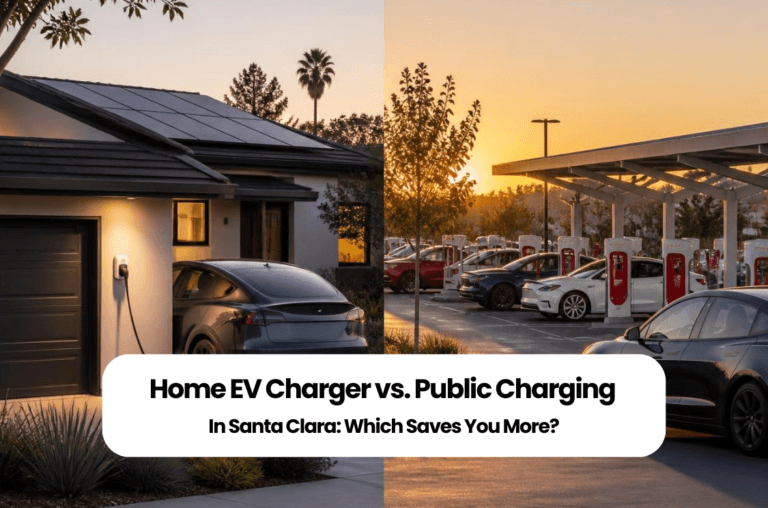
Home Charging vs Public Charging: Which Is Right for You?
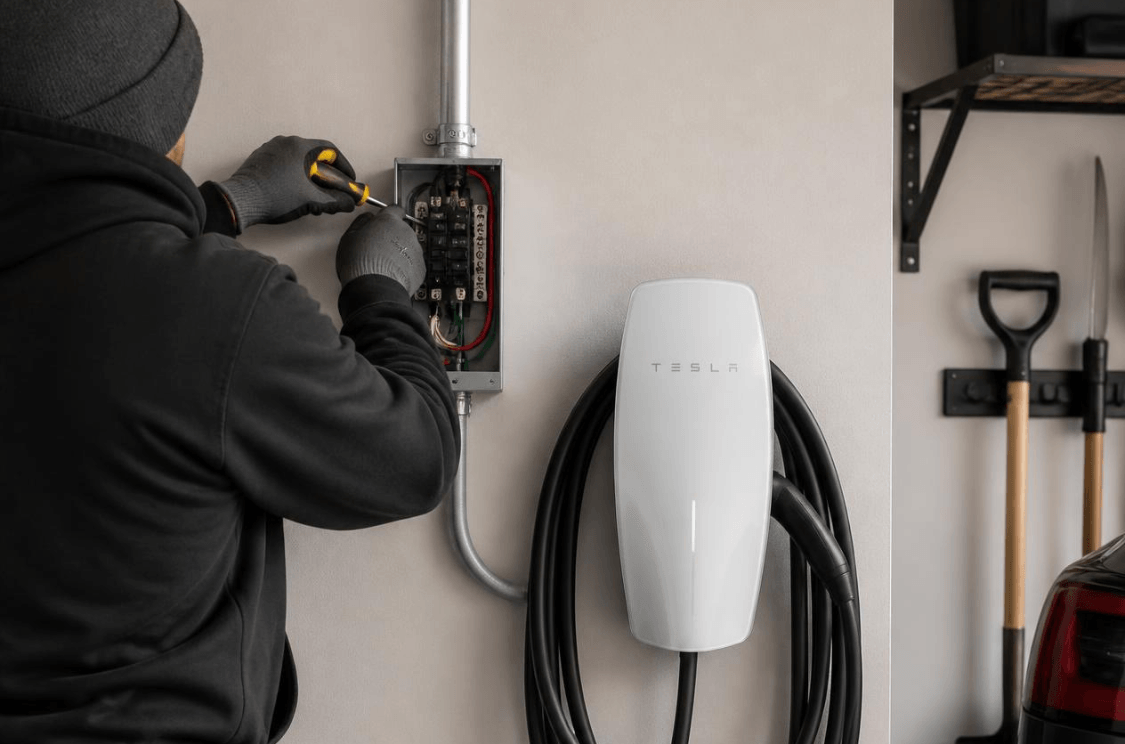
For many EV owners, the answer isn’t choosing one over the other.
Instead, it’s using both where they make the most sense.
Home Charging
Best for:
- Daily commuting
- Overnight charging
- Consistent routines
- Maximum convenience
Public Charging
Best for:
- Road trips
- Weekend travel
- Apartment living
- Emergency charging
- Occasional top-ups
Many Santa Clara homeowners install a Level 2 home charger for everyday driving while continuing to use public charging during longer trips throughout California.
Schedule Your Home EV Charging Assessment
Thinking about installing a home EV charger but not sure where to start?
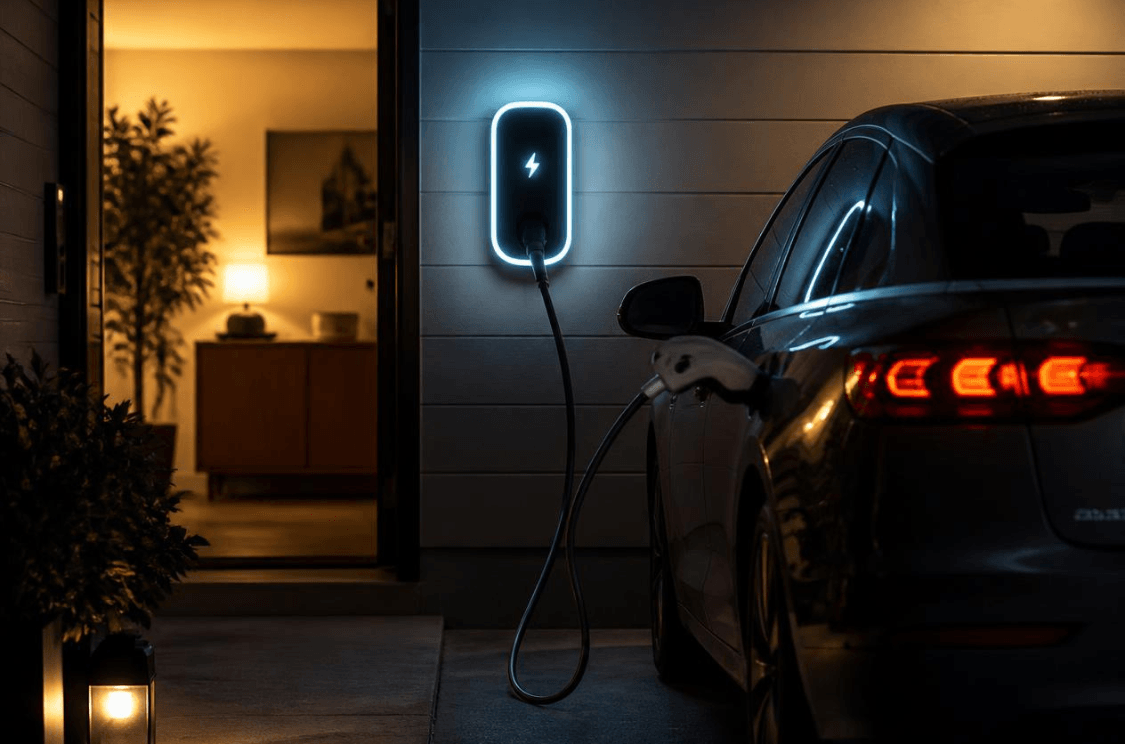
Every home has different electrical capacity, driving habits, and future energy goals. Before purchasing charging equipment, it’s helpful to understand whether your home’s electrical system is ready for a Level 2 EV charger and whether future upgrades such as residential solar, battery storage, or additional EV chargers should be considered as part of a long-term energy plan.
Schedule a no-obligation EV charging assessment with Nabu Energy. We’ll evaluate your electrical panel, discuss your future energy goals, and recommend the right charging solution for your home without commission-based sales pressure.
Whether you’re purchasing your first EV or preparing your home for future electrification, our licensed California electrical experts can help you make an informed decision.
⭐⭐⭐⭐⭐ Honest Guidance & Technical Expertise
“After speaking with several companies, Nabu Energy stood out because they took the time to explain every option clearly instead of using high-pressure sales tactics. Their team was honest, professional, and knowledgeable, helping me understand the best long-term solution for my home. Communication was excellent throughout the project, and I always knew what was happening. I highly recommend Nabu Energy for homeowners looking for experienced professionals they can trust.”
— Verified Bay Area, Homeowner
Why Homeowners Choose Nabu Energy
Nabu Energy is a California-licensed electrical contractor serving homeowners throughout Santa Clara and the Bay Area with residential electrification solutions designed around each property’s unique electrical requirements.
Our team provides:
- Residential EV charger installation
- Main electrical panel upgrades
- Residential solar installation
- Home battery storage systems
- Electrical load evaluations
- Future-ready home electrification planning
Unlike companies focused on high-pressure sales, our recommendations are based on your home’s electrical capacity, driving habits, and long-term energy goals.
Learn more about Nabu Energy and our approach to helping Bay Area homeowners make informed energy decisions.
Frequently Asked Questions
1. Which EV charging network is best for beginners?
Many new EV owners use a combination of ChargePoint, Electrify America, Tesla Superchargers, EVgo, and Blink depending on where they drive. Installing multiple charging apps provides the greatest flexibility.
2. Do I need an app to charge my EV?
Many charging networks recommend using their mobile app to locate stations, start charging sessions, monitor progress, and manage payments. Some locations also support contactless payment or guest charging.
3. How does ChargePoint work?
ChargePoint allows drivers to locate compatible charging stations, start charging sessions, monitor charging remotely, and manage payment directly through the ChargePoint app.
4. Is Electrify America better than ChargePoint?
Both serve different purposes. ChargePoint offers extensive Level 2 destination charging, while Electrify America focuses primarily on high-speed DC fast charging for longer trips.
5. Can non-Tesla vehicles use Tesla Superchargers?
Some Tesla Supercharger locations now support compatible non-Tesla vehicles. Availability depends on the charging station, vehicle compatibility, and connector requirements.
6. What is the difference between CCS, J1772, and NACS?
J1772 is commonly used for Level 2 charging, CCS supports DC fast charging for many non-Tesla vehicles, and NACS is Tesla’s charging standard, which is being adopted by more manufacturers.
7. How much does public EV charging cost?
Charging costs vary by charging network, charger speed, electricity pricing, and membership status. Most charging apps display pricing before a charging session begins.
8. Which charging network has the most stations?
ChargePoint operates one of the largest public charging networks, while Tesla continues expanding its Supercharger network throughout California.
9. Where can I find EV charging stations near Santa Clara?
Most drivers use Google Maps, PlugShare, ChargePoint, Tesla, Electrify America, or their vehicle’s navigation system to locate nearby charging stations.
10. Is home charging better than public charging?
For daily commuting, many homeowners prefer overnight home charging. Public charging is especially useful during road trips, longer drives, and occasional charging away from home.
11. Should I install a Level 2 charger at home?
Many homeowners choose a Level 2 charger because it provides faster overnight charging than a standard household outlet and supports everyday EV use.
12. Will my home’s electrical panel support an EV charger?
Every home is different. A professional electrical evaluation can determine whether your existing electrical system can safely support a Level 2 charger or whether upgrades should be considered.
13. Can I install two EV chargers?
Yes. Many homes can support multiple EV chargers depending on available electrical capacity and future energy planning.
14. Can solar panels help charge my EV?
Yes. Many homeowners combine residential solar with EV charging to support their long-term home energy goals while reducing reliance on grid electricity.
15. Why should I schedule a professional EV charging assessment?
A professional assessment evaluates your home’s electrical panel, available capacity, charger location, future expansion plans, and long-term energy goals before equipment is purchased or installed.
Key Takeaways
- Home charging is often the most convenient solution for daily commuters.
- Public charging is ideal for road trips, workplace charging, and occasional top-ups.
- A Level 2 home charger provides significantly faster overnight charging than a standard household outlet.
- Many EV owners benefit from using both home and public charging as part of their overall charging strategy.
- A professional electrical evaluation helps ensure your charging solution supports both your current needs and future home electrification plans.
⭐⭐⭐⭐⭐ Professional Team with Outstanding Customer Experience
“Nabu Energy made the entire process smooth from start to finish. Their technical expertise was impressive, and every recommendation was backed by clear explanations rather than sales pressure. Their in-house installation team was professional, efficient, and treated our home with great care. If you’re looking for a knowledgeable and reliable home energy partner, I highly recommend Nabu Energy.”
– Verified Bay Area Homeowner
Helpful Resources
For homeowners interested in learning more about EV charging and home electrification, these resources provide reliable information:
- U.S. Department of Energy – Electric vehicle charging basics and alternative fuel infrastructure.
- California Energy Commission (CEC) – EV adoption, public charging infrastructure, and clean transportation programs.
- PG&E – Residential EV programs, rate plans, and home charging guidance.
- PlugShare – Interactive map for locating public EV charging stations.
- ChargePoint – Charging network information, mobile app, and station locator.
- Electrify America – Fast charging locations, membership plans, and trip planning tools.
About the Author
Reviewed by:
California C-10 Licensed Electrical Contractor
This article has been technically reviewed to help ensure the information reflects current residential electrical practices, EV charging considerations, and general home electrification guidance relevant to California homeowners.
Disclaimer
This article is intended for general educational purposes only and should not be considered electrical, engineering, or legal advice. Every home’s electrical system is unique. Equipment selection, permitting requirements, electrical capacity, and installation methods should always be evaluated by a qualified professional before purchasing or installing EV charging equipment.